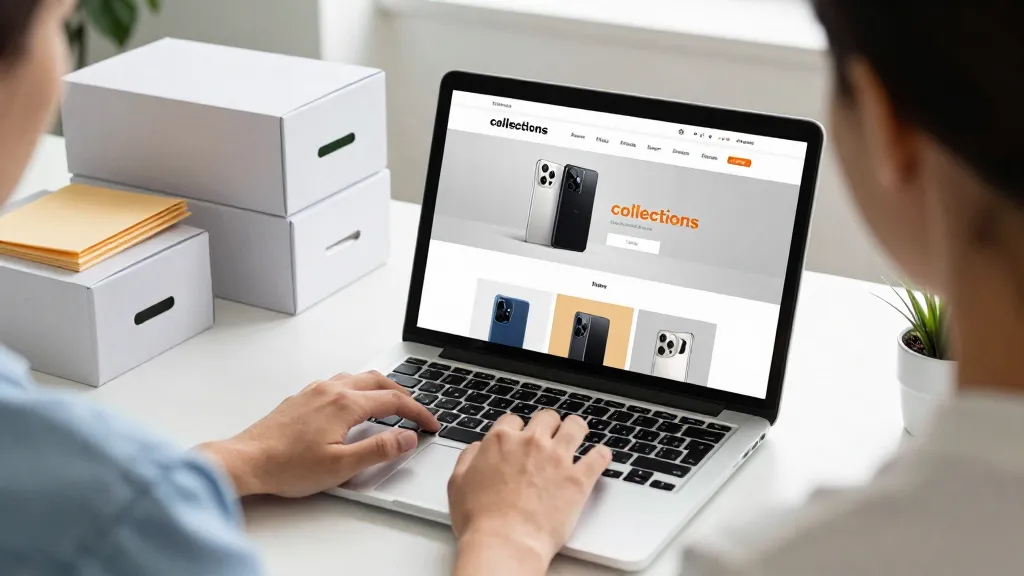
Shopify store owners are always looking for ways to boost cross-selling and improve user experience. One effective strategy is to filter related products by shared collection, which helps customers discover complementary items effortlessly. By showcasing products from the same collection as the current item, you create a seamless shopping journey that encourages exploration and increases conversion rates. This approach not only enhances engagement but also aligns with customer behavior patterns, making it a powerful tool for any online store.
This article explores how to implement this strategy using Liquid, Shopify’s templating language. You’ll learn how to filter products based on shared collections, exclude the current product from recommendations, and display related items effectively. Whether you're a developer or an independent store owner, these techniques can be tailored to fit your specific needs and goals.
In addition to practical implementation, the guide covers best practices for user experience, SEO optimization, and troubleshooting common issues. By following these steps, you can ensure that your product recommendations are not only relevant but also performant, helping you achieve better results with your cross-selling strategy.
Why Filter Related Products by Shared Collection Matters
Filtering related products by shared collection is a powerful strategy for improving user experience and boosting conversion rates. By leveraging collections to group products with similar features or categories, store owners can provide more relevant recommendations that align with customer interests. This approach not only enhances engagement but also simplifies navigation, making it easier for shoppers to discover complementary items.
Enhancing User Experience Through Relevant Suggestions
Customers often look for related items after viewing a product, especially when they are unsure about their purchase or seeking alternatives. By filtering related products by shared collection, you ensure that the recommendations are contextually relevant and tailored to the customer's current interest. This method avoids overwhelming the user with unrelated options, creating a more focused and intuitive shopping experience.
Leveraging Collections for Better Conversion Rates
Using collections for recommendations is more organized than random suggestions, as it leverages existing categories and tags to guide the user. This structured approach not only improves the user experience but also increases the likelihood of conversion. When customers see products that are logically grouped, they are more likely to trust the recommendations and complete a purchase. Additionally, filtering by shared collection helps avoid showing the current product again, ensuring that each recommendation is unique and valuable.
How to Filter Related Products by Shared Collection Using Liquid
To filter related products by shared collection using Liquid, you can leverage Liquid’s built-in filters and conditional logic to display products that belong to the same collection as the current product. This approach ensures that users see relevant recommendations without overwhelming them with irrelevant items.
Liquid Filters for Finding Products in the Same Collection
Liquid provides a powerful way to find products in the same collection by using the `collection` filter in combination with the `products` variable. By applying this filter to the current product’s collection, you can retrieve all products that share that collection. For example, you can use `product.collection.products` to get a list of products in the same collection as the current one. This method ensures that your recommendations are based on shared categories, making them more relevant to the user.
Conditional Logic to Exclude the Current Product
To exclude the current product from the list of related items, you can use conditional logic within your Liquid template. By checking if a product’s handle matches the current product’s handle, you can filter it out of the results. This ensures that the user doesn’t see the same product they are currently viewing. Combining this logic with the `collection` filter allows you to display only products that are in the same collection but not the current one. Keeping your code clean and efficient is essential for performance, especially when dealing with large product collections.
Best Practices for Displaying Related Products
Displaying related products effectively is key to enhancing user engagement and driving conversions. A well-designed section that balances simplicity and functionality can significantly impact how customers interact with your store.
- Keep the related products section simple and focused.
- Limit the number of products shown to avoid overwhelming the user.
- Use high-quality images and clear product titles.
- Include a call-to-action to encourage clicks.
- Ensure the section is responsive and works well on mobile devices.
Simplifying the User Experience with Clean Design
Simplifying the user experience means prioritizing clarity and ease of navigation. Avoid cluttering the related products section with excessive text or irrelevant information. Instead, focus on showcasing a few carefully selected items that align with the current product. This approach helps users make informed decisions quickly, reducing cognitive load and improving satisfaction.
Optimizing for Mobile and Desktop Views
Optimizing for both mobile and desktop views ensures a seamless experience across all devices. On mobile, prioritize vertical layouts, larger touch targets, and minimal text to facilitate easy browsing. For desktop, consider grid layouts that allow for a broader product view while maintaining readability. Responsive design not only improves usability but also supports better search engine rankings and customer retention.
Optimizing for SEO and Performance
Optimizing for SEO and performance ensures your related products section is both user-friendly and discoverable by search engines. A fast, clean, and structured page improves visibility and user engagement, which is crucial for conversion and long-term traffic growth.
Improving Page Speed for Better SEO
Efficient Liquid code is essential for maintaining fast page speeds. Avoid complex loops and excessive data fetching, as they can slow down rendering. Instead, use filters and conditional logic sparingly to minimize processing time. Keep your Liquid templates simple and focused on the necessary data, ensuring they load quickly even on high-traffic pages. Regularly audit your code for redundancy and optimize it as your collection and product data grow.
Using Structured Data for Search Visibility
Structured data helps search engines understand the context and relevance of related products, improving visibility in search results. Implement schema markup for products and related items to highlight key information such as titles, descriptions, and URLs. This enhances the chances of your related products appearing in rich snippets, which can drive more organic traffic. While structured data is valuable, avoid overcomplicating it with unnecessary metadata. Focus on clarity and accuracy to ensure search engines can correctly interpret and display your content.
Troubleshooting Common Issues with Collection Filtering
Troubleshooting collection filtering issues requires a systematic approach to identify and resolve problems in your Shopify store. By following a few key steps, you can ensure that your Liquid code functions correctly and that products are accurately assigned to collections.
- Use Shopify's Liquid debugger to identify and fix errors in your template code.
- Verify that your Liquid code is targeting the right collection by checking the collection handle.
- Test your code in different scenarios to ensure it works as intended.
- Ensure the collection is correctly assigned to the product through the Shopify admin.
Debugging Collection Filtering Code
Debugging collection filtering code involves checking for syntax errors and ensuring that your Liquid filters are correctly implemented. Start by using Shopify's Liquid debugger, which allows you to test your code in real-time and see if any errors are returned. This tool can help you pinpoint issues such as incorrect collection handles or missing filters. If an error is identified, review your code to ensure that it aligns with the intended logic for filtering products by shared collections.
Ensuring Products Are Correctly Assigned to Collections
Ensuring products are correctly assigned to collections is essential for accurate filtering. In the Shopify admin, navigate to the product and check the 'Collections' tab to confirm that the product is included in the intended collection. If a product is missing from a collection, manually add it or adjust the collection settings to include it. Regularly review your collection assignments to maintain data integrity and ensure that your filtering logic works as expected.
Frequently Asked Questions
How can I ensure the current product is excluded from related product suggestions?
To exclude the current product from recommendations, use Liquid conditional logic to filter out the product ID. This ensures the current item isn't shown, improving the relevance of your suggestions.
Can I use a custom collection for filtering related products?
Yes, you can use a custom collection for filtering. Assign products to the collection and use Liquid to fetch products from that collection, ensuring your recommendations are focused and relevant.
What are the best ways to display related products on a Shopify store?
Display related products in a clean, uncluttered layout with clear calls to action. Use high-quality images and concise descriptions to enhance the user experience and encourage clicks.
How does filtering by shared collection affect page speed and SEO?
Filtering by shared collection can slightly impact page speed if not optimized. Use efficient Liquid code and caching techniques. For SEO, ensure structured data is used to improve search visibility.
Final Thoughts
Filtering related products by shared collection enhances user experience and boosts cross-selling opportunities. By leveraging collections, Shopify stores can deliver more relevant recommendations, leading to higher engagement and conversion rates.
Implementing Liquid filters and best practices for display ensures your recommendations are both effective and user-friendly. Start by testing your collection-based recommendations to refine your strategy and improve store performance.