
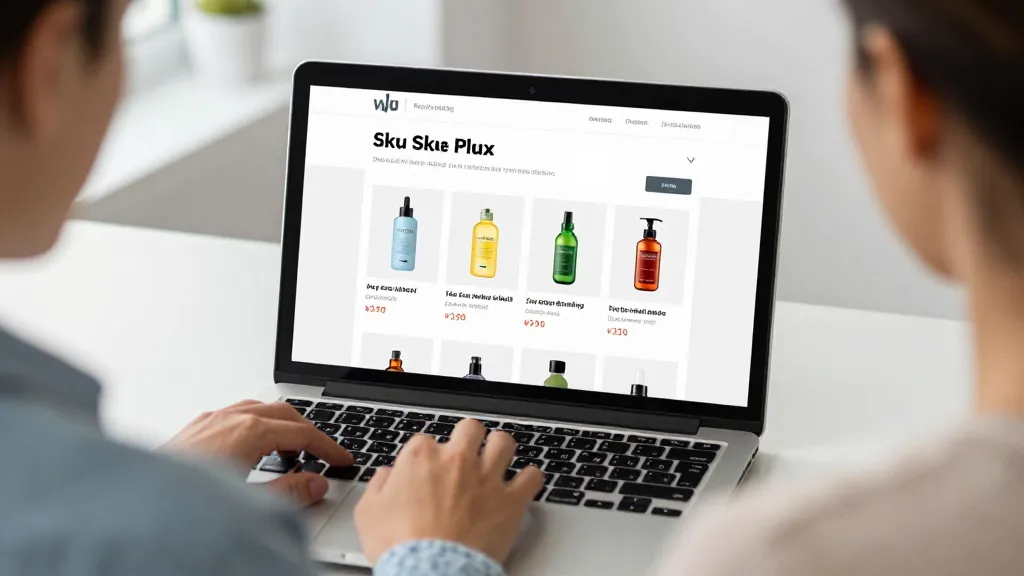
For Shopify store owners aiming to enhance product page UX, dynamically showing variant SKUs can significantly improve customer trust and conversion rates. By displaying the correct SKU when a customer selects a variant, you provide clear product information that reduces confusion and supports informed purchasing decisions. The main keyword here is show variant sku dynamically on selection, which is essential for both user experience and search engine optimization. This article guides you through the process of implementing this feature using Liquid and vanilla JavaScript, ensuring your store remains competitive and user-friendly. Whether you're a developer or a store owner, understanding how to effectively show variant SKUs dynamically will help you deliver a more engaging and informative shopping experience. The methods discussed here avoid third-party apps, making the solution cost-effective and scalable for any Shopify store. By combining the power of Liquid with JavaScript, you can create a seamless and interactive product page that meets modern consumer expectations.
Why Dynamically Show Variant SKU Matters for UX and SEO
Dynamically displaying variant SKUs on product pages enhances the shopping experience by providing clear, real-time product information. This approach not only streamlines the purchasing process but also builds customer confidence, which can lead to higher conversion rates and improved brand loyalty.
Improving Customer Trust and Conversion Rates
When customers select a variant, such as size or color, they often want to confirm the exact product they’re buying. By dynamically showing the SKU, they can quickly verify the product details, reducing uncertainty and potential cart abandonment. This transparency fosters trust, especially for complex products with multiple options, as it ensures customers are making informed decisions.
SEO Benefits of Dynamic SKU Display
From an SEO perspective, dynamic SKU display contributes to better indexing and ranking of product pages. Search engines prioritize pages with clear, structured data, and displaying SKUs helps reinforce product-specific content. Additionally, accurate SKU information improves the relevance of product pages for search queries, making it easier for customers to find exactly what they need. By integrating this feature using Shopify’s native tools like Liquid and vanilla JavaScript, stores maintain compatibility without relying on third-party apps, ensuring long-term stability and performance.
How to Use Liquid and Vanilla JS to Show Variant SKU Dynamically
To dynamically show variant SKU on selection, developers can combine Liquid and vanilla JavaScript to provide real-time updates without page reloads. This approach ensures that customers see the exact SKU for their selected variant, improving clarity and reducing confusion. The process involves first extracting SKU data using Liquid and then updating the display using JavaScript, which responds to user interactions seamlessly.
Liquid Code for Extracting SKU Data
Liquid is used to loop through product variants and extract SKU information. Within the product.liquid template, developers can iterate over the product's variants using the `product.variants` object. For each variant, the SKU can be accessed via the `sku` property. This data is then stored in a JavaScript data structure, such as an array or object, which can be accessed dynamically by the JavaScript code. By organizing the SKU data in this way, developers ensure that the correct SKU is available for display based on user selection.
JavaScript for Dynamic SKU Display
Vanilla JavaScript is used to dynamically update the SKU field based on the selected variant. When a customer selects a variant from the dropdown, an event listener triggers a function that updates the displayed SKU. This function retrieves the selected variant's SKU from the preloaded data and updates the relevant HTML element on the page. To ensure accessibility and clarity, the SKU should be displayed in a prominent location, such as a separate section or next to the variant selection. Testing is essential to ensure that the JavaScript works across different browsers and device types, providing a consistent user experience.
Best Practices for Implementing SKU Display on Shopify
Implementing SKU display on Shopify requires careful attention to accessibility, performance, and compatibility. By following best practices, developers can ensure a seamless experience for all users, regardless of their device or browser settings.
- Use proper HTML structure to ensure accessibility and readability.
- Keep the code clean and modular to avoid conflicts with other scripts.
- Test across different device types to ensure responsiveness.
- Monitor performance to ensure that the code doesn’t slow down the page load.
- Provide a fallback if JavaScript is disabled for accessibility.
Ensuring Accessibility and Performance
Accessibility is critical when implementing SKU display. Using semantic HTML elements such as <article>, <section>, and <details> helps screen readers and other assistive technologies interpret the content accurately. Additionally, adding ARIA attributes like aria-label or aria-describedby can enhance the user experience for those relying on keyboard navigation or screen readers. Ensuring that the SKU display is visible and readable on all screen sizes also supports a wider range of users.
Performance should not be overlooked when building dynamic SKU display features. Large or complex scripts can slow down page load times, especially on mobile devices. To maintain performance, keep the JavaScript code modular and efficient, and avoid unnecessary DOM manipulations. Lazy loading and code splitting can also help optimize the user experience without compromising functionality.
Fallback Options for JavaScript Disable
Providing a fallback when JavaScript is disabled is essential for maintaining accessibility and usability. If JavaScript fails to load or is turned off, the SKU should still be visible to the user. This can be achieved by using server-side rendering with Liquid to display the SKU by default, and then updating it dynamically with JavaScript if available. This approach ensures that even users without JavaScript support can still see the SKU information, improving overall accessibility and reliability.
Comparing Liquid and JavaScript Approaches for SKU Display
Choosing between Liquid and JavaScript for SKU display depends on your specific needs. Liquid is ideal for static, pre-rendered content, while JavaScript offers dynamic, real-time interactions. Understanding when to use each can help you balance performance and interactivity effectively.
| Feature | Liquid | JavaScript | Combined |
|---|---|---|---|
| Use Case | Static SKU display on product pages | Dynamic SKU updates based on user selection | Static with real-time updates |
| Performance | Fast rendering with minimal overhead | May introduce latency if not optimized | Balances speed and responsiveness |
| Interactivity | Limited to pre-rendered content | Supports real-time updates and user interaction | Enhanced interactivity with static fallback |
| SEO Impact | Better for SEO due to static content | Potentially lower SEO value if not handled properly | Improved SEO with static rendering and dynamic enhancements |
| Development Complexity | Simpler for basic templating | Requires more complex logic and event handling | Balances simplicity with advanced functionality |
When to Use Liquid for SKU Display
Liquid is best suited for scenarios where SKU data is static or doesn't require real-time updates. It's ideal for simple product pages where the SKU remains consistent across variants. This approach is efficient and ensures fast page load times, making it a good choice for basic storefronts or when minimal interactivity is needed.
When to Use JavaScript for SKU Display
JavaScript is the preferred solution when you need real-time SKU updates based on user selections, such as variant changes. It allows for dynamic interactions that enhance user experience, especially on complex product pages with multiple options. When combined with Liquid, it provides a powerful way to balance performance and interactivity, offering the best of both worlds for advanced Shopify stores.
Troubleshooting and Common Pitfalls in SKU Display
Troubleshooting SKU display issues is essential to ensure a smooth user experience and accurate product information. Common errors and debugging techniques can help identify and resolve problems quickly, ensuring the dynamic SKU display works as intended.
Common Errors in SKU Display
One of the most common errors in SKU display is incorrect SKU assignment in the Shopify admin. Ensure that each product variant has a valid SKU and that it is not left blank. Inconsistent or missing SKU data can lead to blank or incorrect displays on the frontend. Also, verify that the SKU is not accidentally overwritten by other attributes or custom fields.
Debugging Techniques for SKU Updates
JavaScript errors in the browser console are a key indicator of issues with dynamic SKU updates. If the SKU fails to update, check the console for any syntax errors, missing variables, or incorrect DOM element references. Use browser developer tools to inspect the live DOM and confirm that the correct elements are being targeted. Additionally, Shopify’s Liquid debugger can help identify syntax errors in your Liquid code, ensuring that the SKU data is properly extracted and formatted.
Frequently Asked Questions
How can I ensure that the SKU updates correctly when a customer selects a variant?
Ensure your Liquid code correctly maps variant IDs to SKUs and that your JavaScript listens for variant changes. Test by selecting different variants and verifying the SKU updates in real-time.
What should I do if the SKU doesn't appear on the product page?
Check that your JavaScript is properly attached to the variant selection elements. Use browser developer tools to inspect the DOM and ensure the SKU data is being retrieved and displayed correctly.
Can I use this method with Shopify’s built-in variants without adding extra code?
Shopify's built-in variants do not expose SKU data directly. You need to use Liquid to extract SKU data and JavaScript to dynamically update the display based on variant selection.
Is it possible to hide the SKU unless a variant is selected?
Yes, you can use JavaScript to hide the SKU element by default and show it only when a variant is selected. This improves user experience by reducing clutter on the product page.
Next Steps for Dynamic SKU Display
Dynamically showing variant SKUs improves user experience and boosts trust by clearly displaying product details. Implementing this method with Liquid and JavaScript ensures accuracy and flexibility.
To get started, use Liquid to extract SKU data and JavaScript to update the display dynamically. Always test thoroughly and ensure fallback options for accessibility and performance.